

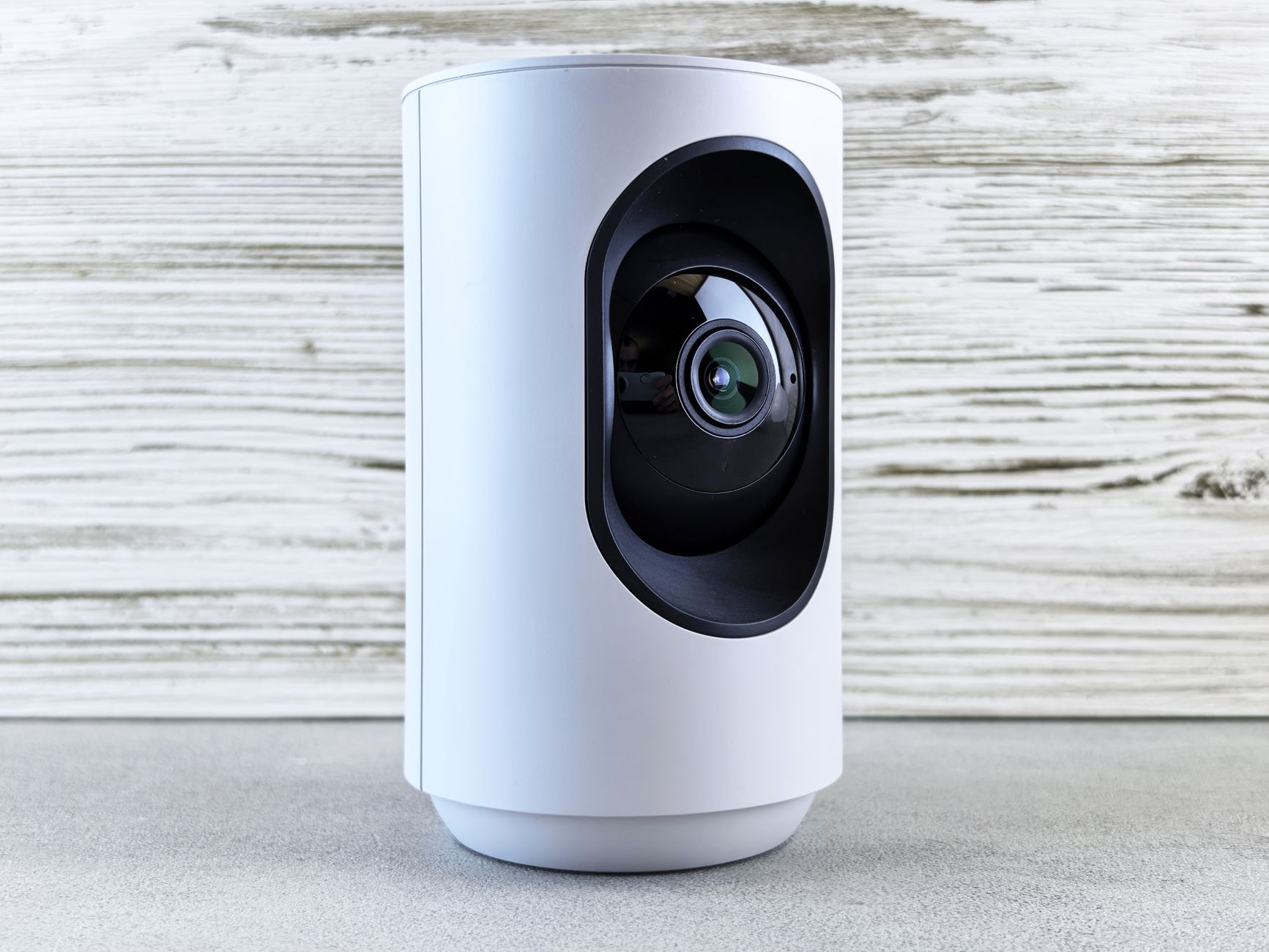
A blink camera costs $35 to $120 per unit and installs in minutes with no wires, but it is a self-monitored DIY device: it records clips to the cloud or a local USB drive and sends alerts to your phone, with no professional monitoring, no battery backup beyond two AA lithium cells, and no guaranteed response if you miss the notification. For many renters that trade-off is fine. For a homeowner or business that wants someone watching 24/7, a wireless blink camera is only half of a security system. This guide explains exactly what you get, what you don’t, and when a professionally installed alternative is the smarter buy.
What is a blink camera and how does it work?
A blink camera is a battery-powered or plug-in wireless security camera made by Blink, an Amazon-owned brand. It connects to your home Wi-Fi through a small Sync Module, detects motion with a passive infrared sensor, and records short video clips either to the cloud (via a paid subscription) or to a USB flash drive plugged into the Sync Module 2.
The appeal is simplicity. You mount the camera with the included bracket, pair it in the Blink app, and you are recording within ten minutes. The Blink Mini plugs into an outlet; the Outdoor and Video Doorbell run on two AA lithium batteries rated for up to two years. According to the Blink support documentation, motion clips are typically 5 to 60 seconds long.
The limitation is also simplicity. A blink camera notifies you. If you are asleep, driving, or in a meeting, no one is watching the feed. There is no central station, no dispatch, and no verified alarm response. It is a camera, not a monitored security system.
How much does a blink camera cost in 2026?
A single blink camera costs between $35 and $120 depending on the model, and the cloud subscription runs $3 per month per device or $10 per month for unlimited cameras. Here is the realistic breakdown.
Hardware costs
- Blink Mini 2 (indoor/plug-in): around $35
- Blink Outdoor 4 (battery, 2-camera kit): around $140
- Blink Video Doorbell: around $60
- Sync Module 2 (for local USB storage): around $35
Subscription costs
- Basic Plan: $3/month or $30/year per camera
- Plus Plan: $10/month or $100/year for unlimited cameras
- No subscription: live view and local USB recording only; no cloud clip storage
So a three-camera outdoor setup is roughly $200 up front plus $100 a year if you want cloud history. That is genuinely affordable. What the price does not include is professional installation, cellular backup if your Wi-Fi or power fails, or anyone to call the police when the camera sees someone. For that, you are comparing against a monitored system, not another DIY camera.
Is a blink camera good enough for home security?
For casual awareness, yes; for actual security, often no. A blink camera is excellent at telling you a package arrived or showing you who is at the door. It is weak as a crime deterrent and response tool because it depends entirely on Wi-Fi, home power, and you personally reacting to a phone alert.
Consider the failure points. Cut the power or jam the Wi-Fi and a battery blink camera keeps running, but it cannot upload clips, so the footage of the break-in never leaves the house. There is no siren tied to a central station, no backup cellular path, and no professional who verifies the event and dispatches law enforcement. The FBI’s crime data consistently shows most residential burglaries happen when no one is home to see the alert.
A blink camera is a good layer. As a complete security plan it leaves the most important job — getting help on the way — to you and your notification settings.
Why does Blink rank so well, and what do local installers do better?
Blink ranks everywhere because it is an Amazon brand with a massive ad budget and millions of reviews, so a search for “blink camera” surfaces retail listings and affiliate roundups before it surfaces security professionals. That visibility is about distribution, not about which solution actually protects your home better.
What a local installer does better is the part Blink cannot ship in a box:
Professional monitoring
A monitored system connects to a 24/7 central station. When a sensor or camera triggers, a trained operator verifies and dispatches — whether or not you saw your phone.
Hardwired reliability
Hardwired cameras and panels do not die on a dead AA battery and are far harder to defeat than a single Wi-Fi device.
Integrated system
Cameras work alongside door sensors, glass-break detectors, smart locks, and alarm panels on one platform, not five separate apps.
Electronic Protection Systems installs hardwired camera systems with 24/7 professional monitoring across Louisiana and the Houston area, with $0-down financing and no long-term contract required.
What are the best blink camera alternatives with monitoring?
The best alternatives pair camera coverage with 24/7 professional monitoring on an integrated platform, so a trigger produces a human response instead of just a push notification. The main options fall into three buckets.
DIY camera plus self-monitoring
This is Blink, Wyze, and Ring in camera-only mode. Cheapest, but you are the monitoring center.
DIY security with optional monitoring
Systems like SimpliSafe and Ring Alarm add professional monitoring for roughly $20 to $30 a month. Better, though you still install and troubleshoot it yourself.
Professionally installed and monitored
A local company designs, installs, and services the system — hardwired cameras, Alarm.com or Qolsys panels, smart locks — and runs 24/7 monitoring. This is the most reliable and the only option with guaranteed professional installation and ongoing local support.
If your goal is awareness, a blink camera is fine. If your goal is protection and response, a monitored professional system is the category you actually want. You can see how our security and monitoring services compare before you decide.
Can you add professional monitoring to a blink camera?
Not directly — a blink camera has no interface to connect to a third-party central monitoring station. Blink is a closed, self-monitored ecosystem; it alerts your phone and stores clips, but it does not integrate with the professional dispatch platforms that alarm companies use.
If you want monitoring, you have two realistic paths. First, keep the Blink cameras for casual indoor views and add a separate monitored alarm system for the critical openings — doors, windows, motion zones — so a real alarm event reaches a central station. Second, replace the DIY cameras entirely with cameras that live on a monitored platform like Alarm.com, where video analytics, alarms, and smart automation all report to the same 24/7 service.
Many homeowners start with a blink camera, discover its limits after a near-miss or a missed notification, and then upgrade. A takeover or add-on system lets you keep what works and add the monitoring layer the camera was never built to provide.
How do hardwired cameras compare to a wireless blink camera?
Hardwired cameras beat a wireless blink camera on reliability, image continuity, and tamper resistance, while wireless wins on install speed and cost. The right choice depends on how much you are protecting.
Where hardwired wins
- No batteries to die — continuous power means continuous recording
- Stable feed — wired data is immune to Wi-Fi congestion and range drops
- Harder to defeat — no single wireless signal to jam
- Better for business — warehouses, offices, and large properties need guaranteed uptime
Where a blink camera wins
- Fast, tool-free install — ideal for renters
- Low upfront cost — $35 to $140 to start
- No wiring or drilling — move it whenever you want
For a studio apartment, a blink camera is a sensible pick. For a home, a business, or anything where downtime matters, hardwired cameras tied into a monitored panel are the professional standard — which is why most installed systems lead with wired infrastructure and reserve wireless for hard-to-reach spots.
How do you choose between a blink camera and a monitored system?
Choose based on a single question: if the camera catches something, who responds? If the honest answer is “me, when I see my phone,” a blink camera is enough. If the answer needs to be “a 24/7 central station that dispatches help automatically,” you need a monitored system.
Work through this checklist:
1. What are you protecting? A rental room vs. a family home or business changes everything.
2. Who watches the alerts? Be honest about your phone habits and sleep.
3. What happens if power or Wi-Fi fails? DIY cameras go dark; monitored systems use cellular backup.
4. Do you want one app or five? Integrated platforms consolidate cameras, sensors, and locks.
5. What is your real budget? Factor monitoring, not just hardware price.
There is no shame in starting with a blink camera and upgrading later. But if you already know you want professional response, buy the monitored system first and skip the detour. Local providers like Electronic Protection Systems offer $0-down financing and month-to-month monitoring, so stepping up does not require a long contract or a large upfront check.